Events
Events are Riffed's answer to the group chat titled "sat??" — one place for who's coming, what the group actually likes to drink, whose bottles are covering the night, and what happened once it started.
Creating one
From the Activity tab, open Events and create: a title, when, and where — a real venue or just "my place." You can attach details, flip a "remind guests" toggle (a day-before nudge to everyone who's coming), and add it to your own calendar.
Inviting people
Invite friends directly in the app, or share the event link — it works for people who don't have Riffed yet, landing them on a page where they can see the basics and join. Guests RSVP Going or Maybe.
The RSVP carries one consent toggle worth noticing: "Share my palate." It's per-event, starts on only if your profile is public, and can be changed any time — and it's what makes the next part work. As the host, you get the same switch on your event's page; yours starts on.
The group palate
The palates of everyone sharing theirs blend into a single chart: the party's collective taste. The event page shows the blend alongside each sharer's mini chart, and drives drink recommendations for the night — checked against the event's bar, so the list is things the group can actually make, not things it would merely enjoy in theory.
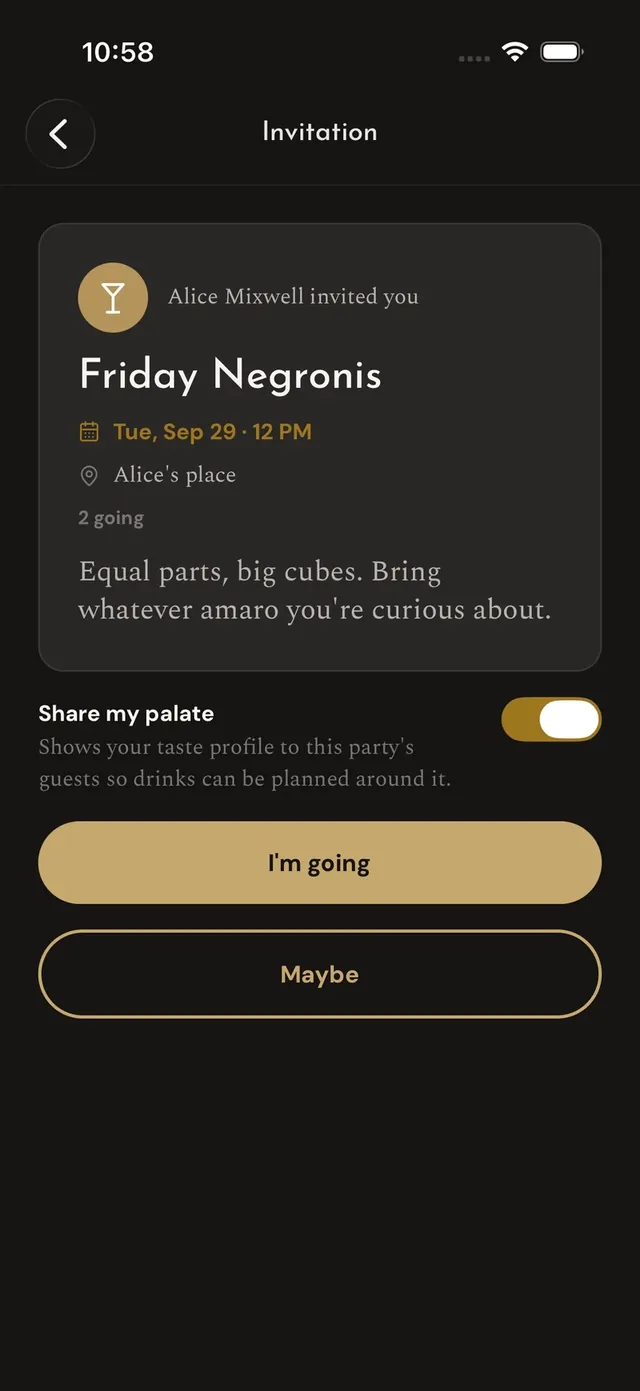
The invite
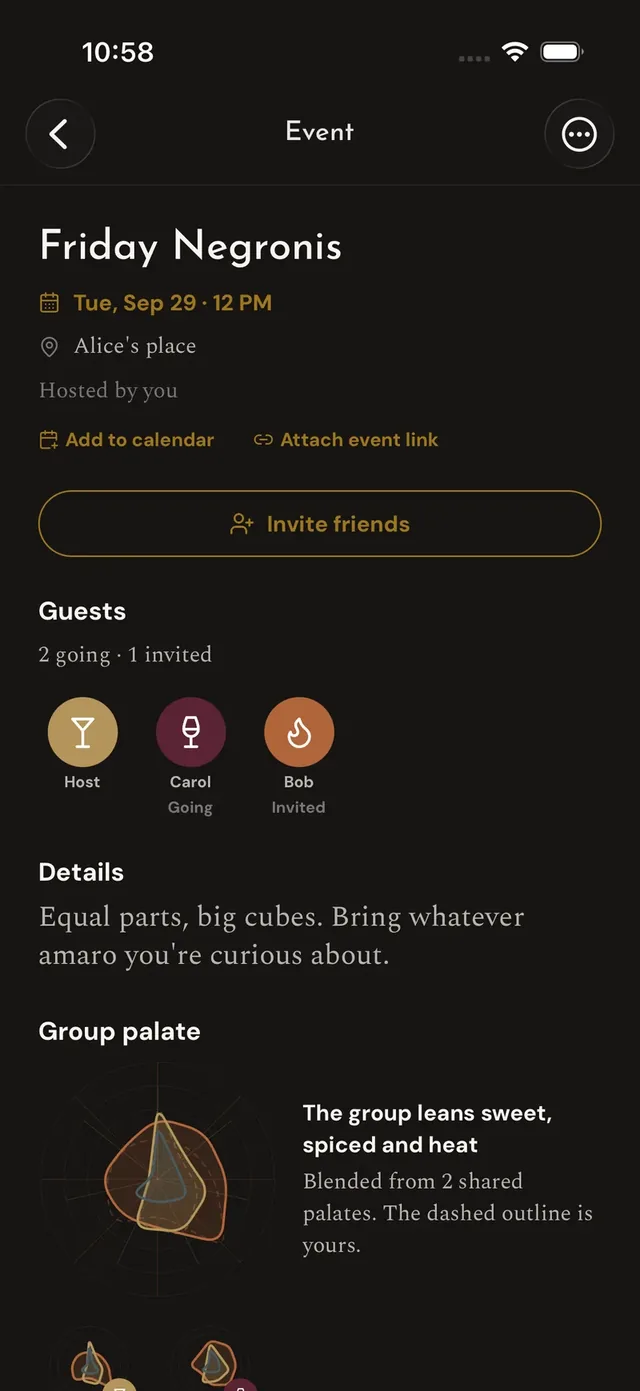
The event page
The shared bar
An event has its own bar, stocked from two directions:
- The host attaches their bar — the baseline of what the house has.
- Guests pledge what they'll bring. First to claim a bottle covers it; no doubled Camparis.
"What to bring" ranks the gaps: which single bottle would unlock the most drinks for the group, given everything already covered. And the host can curate a menu — the night's official lineup, pinned at the top.
The night itself
Pours can be tagged to the event, so the event page collects the party's activity as it happens — who drank what, rated what, photographed what. It's the after-party record nobody had to compile.
One more trick: if the invite really lives on Partiful, Eventbrite, or Luma, attach that link and the event shows it front and center — Riffed handles the drinks, the other service handles the door.