Riffing
Every classic was once a riff — somebody's tweak on an existing drink that earned its own name. The Sazerac is an Old Fashioned that went to New Orleans; the Vieux Carré is what the same city did to a Manhattan. Riffed treats that as the normal way drinks are made, and gives you the tools to do it on purpose.
Starting one
Three ways in:
- From a drink. Tap "Start Riff" on anything — a classic, a friend's creation, your own earlier work. The connection to the original is kept, which matters later. If you've riffed that drink before, the app offers to continue where you left off instead of starting over.
- From scratch. A blank glass, ready for ingredients. If you want help dreaming one up, tap the assistant — it never opens on its own.
- From a photo. Scan a recipe card, a book page, or a bar menu. A menu rarely prints amounts, so the app estimates them from the drink's structure and marks every guess with a
~until you've confirmed or corrected it — you'll always know which numbers were read and which were inferred.
The editor
The ingredient list is the workbench: swap an ingredient (the picker starts from your own bar, because riffing from what you have is usually the point), add, remove, or nudge amounts up and down. The flavor chart redraws live with every change.
Below it, a balance panel reads the drink's key flavor pairs — sweet against sour, bitter against sweet. Riffing on an existing drink, each pair is checked against that drink's own proportions, so you can see exactly how far a change has pulled it from where it started. The panel also shows Family Fit — how the drink compares to the classic range for its family (Sour, Spirit-forward, Highball, and so on). Riffing a classic, the family comes along with it; starting from scratch, pick one from the chart's family lens if you want that read too.
There's also an AI assistant, reached from the circular button in the corner — it never opens on its own; tap it when you want it. Tell it what you're after — "drier, more herbal," "make this work without Campari" — and it proposes concrete changes you can accept or skip one at a time, with an undo if you change your mind. Once your riff is saved, you can also generate an illustration for it.
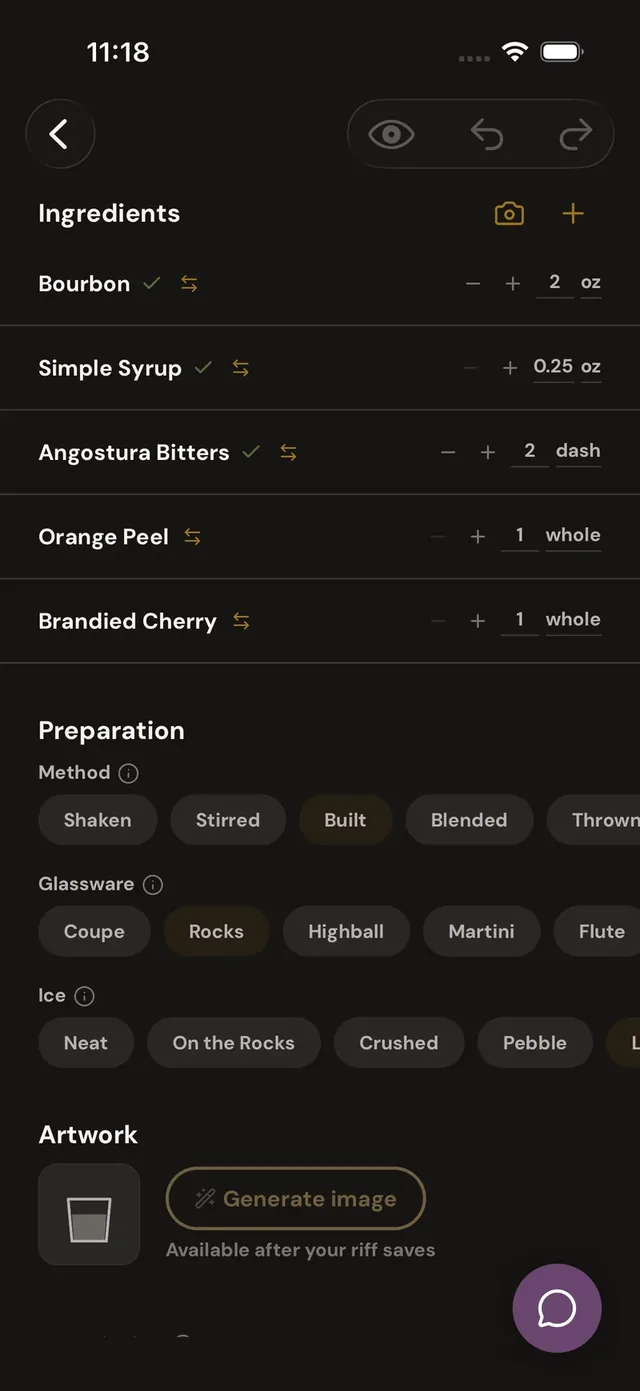
The workbench
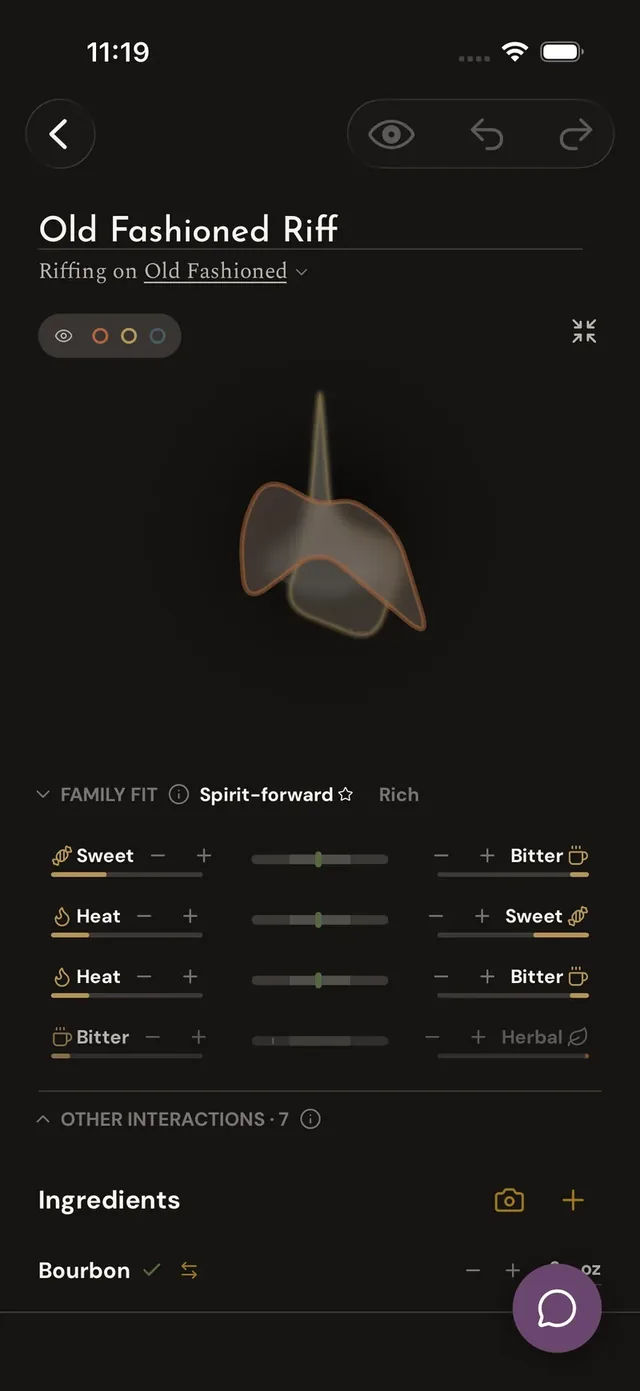
The full chart
Drafts and publishing
Work-in-progress saves itself: drafts are private and autosave as you go — there's no save button to forget. When it's ready, publish with a visibility of your choosing: private (yours alone), unlisted (anyone with the link), or public (in search and discovery for everyone).
One honest wrinkle: editing an already-published drink asks what you mean by it — update the recipe for everyone who's saved it, or fork your changes into a new riff and leave the original alone.
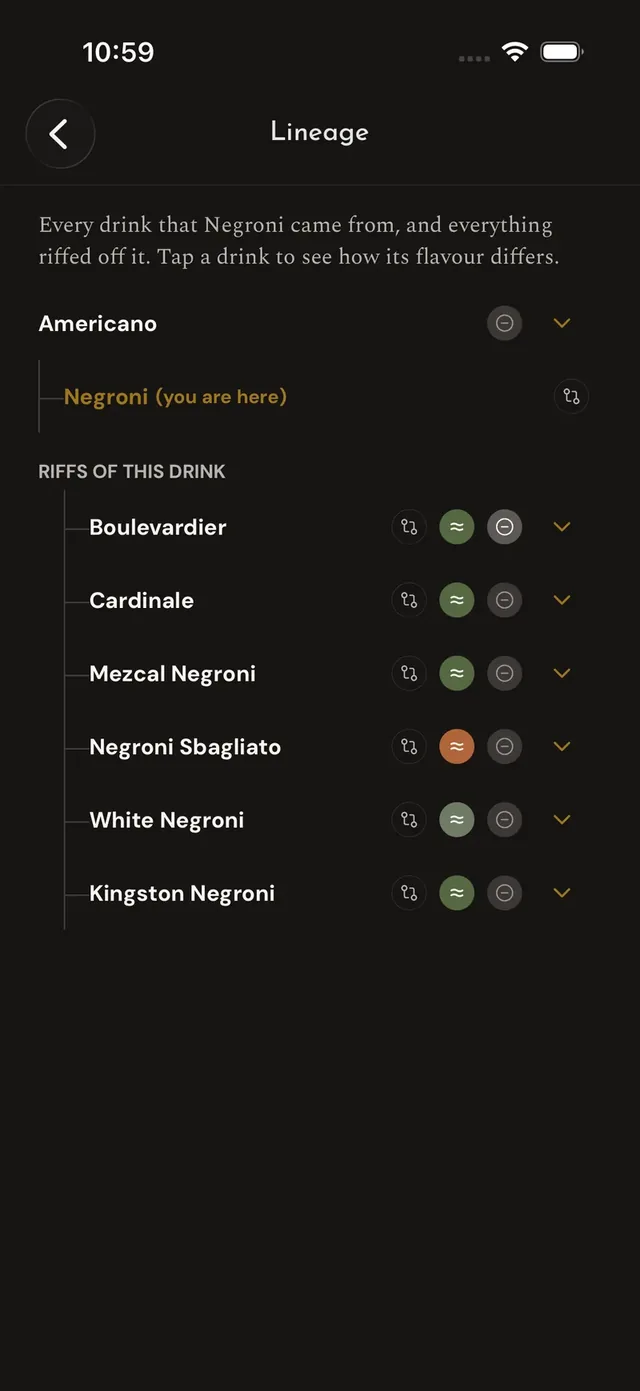
Lineage
Your riff appears in the original drink's Roots, and the original appears in yours — that's the connection a "Start Riff" keeps. Wherever a riff shows up outside its own page (a row on Home, your Riffs list on your profile) it carries that connection as a line of its own: "Riff of the <original>." Other people can riff your public drinks the same way — that's the compliment. Over time the Roots section becomes a genuine family tree: where a drink came from, what it became, and every fork along the way.