AI integrations
Riffed runs a hosted MCP server — the open standard AI assistants use to work with outside apps. Connect it and your assistant stops guessing about cocktails: it plans against your real bar, your real palate, and the same flavor math the app runs.
"What can I make tonight?" — "Add Chartreuse to my shopping list." — "Draft a mezcal riff on the Negroni and save it to my drafts." — "Log the Boulevardier I just had, four stars."
Connecting
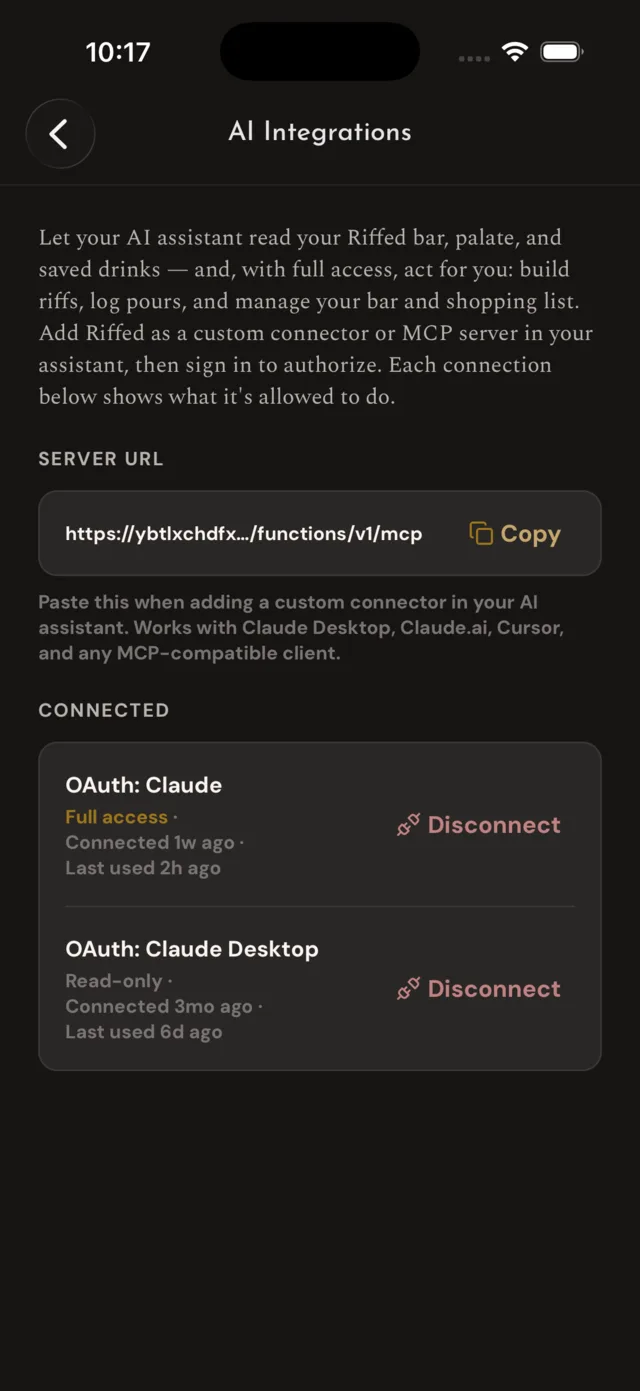
- In the Riffed app, open Settings → AI Integrations and copy the server URL.
- In your assistant, add Riffed as a custom connector or MCP server. In Claude that's Settings → Connectors → Add custom connector — paste the URL and keep everything Claude detects: authentication Always required, OAuth client No client ID — register one automatically, no extra headers, and Streamable HTTP transport.
- Your assistant sends you to riffedapp.com to sign in and approve exactly what it may do. Approve, and the tools appear.
Works with Claude (web and desktop), Claude Code, and any MCP-compatible client. Access expires after an hour; your assistant renews it itself, occasionally by asking you to sign in again.
What it can read
The shared catalog and its flavor intelligence — search, similar drinks, ingredients that balance or boost a flavor — plus your own side of the app: your bar and what you can make from it, your palate and its recommendations, your riffs and their lineage, saved drinks, your pour journal, and your shopping list.
What it can do for you
With full access, it can also act — the same actions you'd take in the app, under the same rules:
- Run your bar and shopping list — add and remove bottles, keep the list current.
- Save drinks for you, and build riffs: it creates real recipes with computed flavor charts and honest lineage. New riffs land as private drafts — it can't publish a drink unless you tell it to, and anything published passes the same review every in-app publish does.
- Log pours. Same visibility as logging one yourself: other Riffed users can see it, and friends get the usual heads-up — so it only belongs in your journal if you actually drank it.
It acts only on your own account. Nothing it does can read or change anyone else's data.
Staying in control
The consent screen you approve is the whole grant — an assistant that asks for read-only access gets exactly that, and connections made before write access existed stay read-only until you reconnect. Every active connection is listed in Settings → AI Integrations with its access level; Disconnect cuts it off instantly.
For developers
The server speaks streamable-HTTP MCP at https://riffedapp.com/mcp, with standard OAuth 2.1 discovery (an unauthenticated request returns 401 plus the protected-resource metadata; dynamic client registration is open). Call tools/list for the full tool set and schemas. Tool calls are capped per account per day — generously, so an assistant session never meets it, but a runaway loop does; past it the server answers each call with a tool error until the day rolls over (UTC).